Omni
Partner Integration
Omni может подключаться к ClickHouse Cloud или к локальному развертыванию ClickHouse через официальный источник данных ClickHouse.
1. Соберите данные для подключения
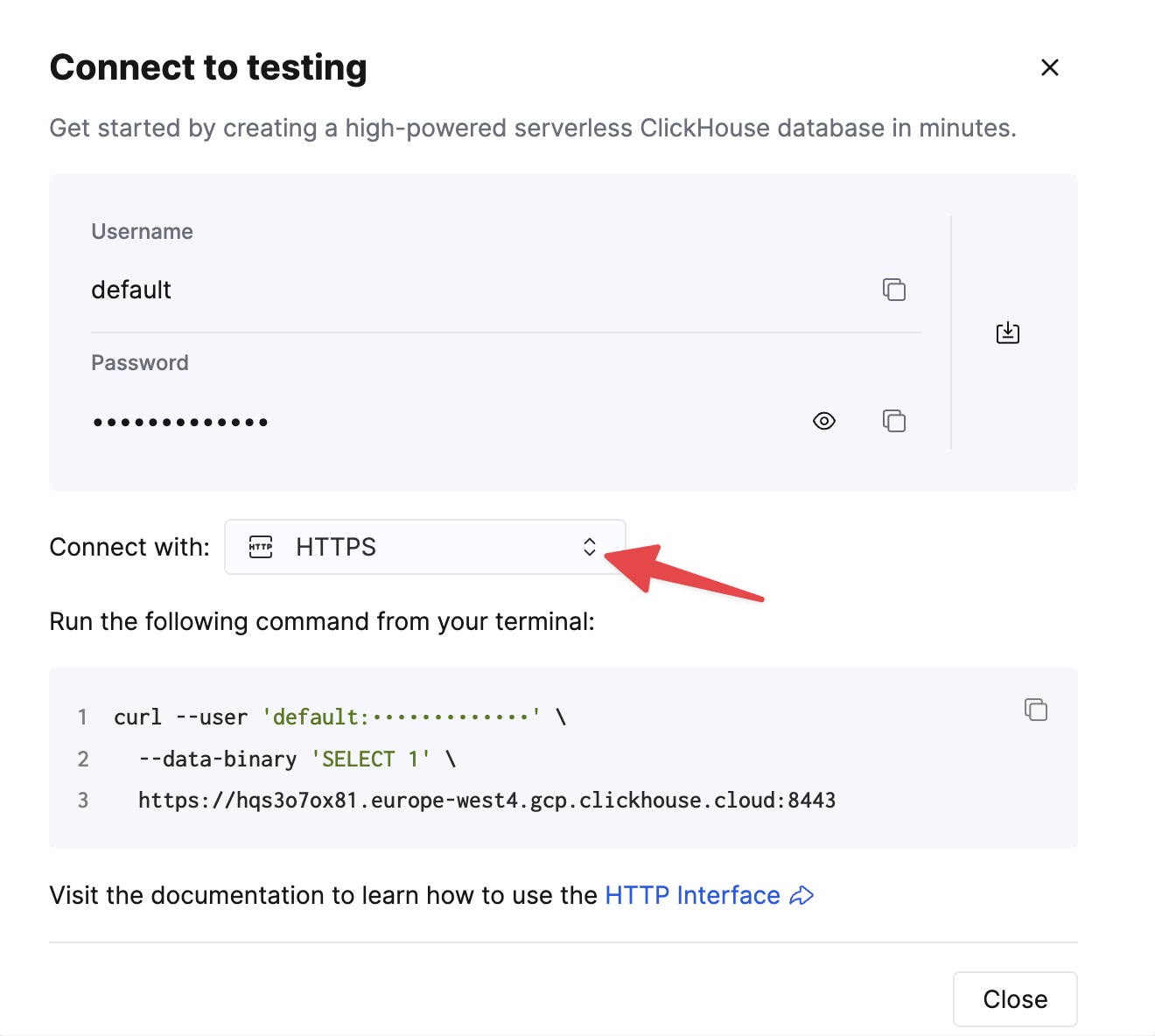
To connect to ClickHouse with HTTP(S) you need this information:
| Parameter(s) | Description |
|---|---|
HOST and PORT | Typically, the port is 8443 when using TLS or 8123 when not using TLS. |
DATABASE NAME | Out of the box, there is a database named default, use the name of the database that you want to connect to. |
USERNAME and PASSWORD | Out of the box, the username is default. Use the username appropriate for your use case. |
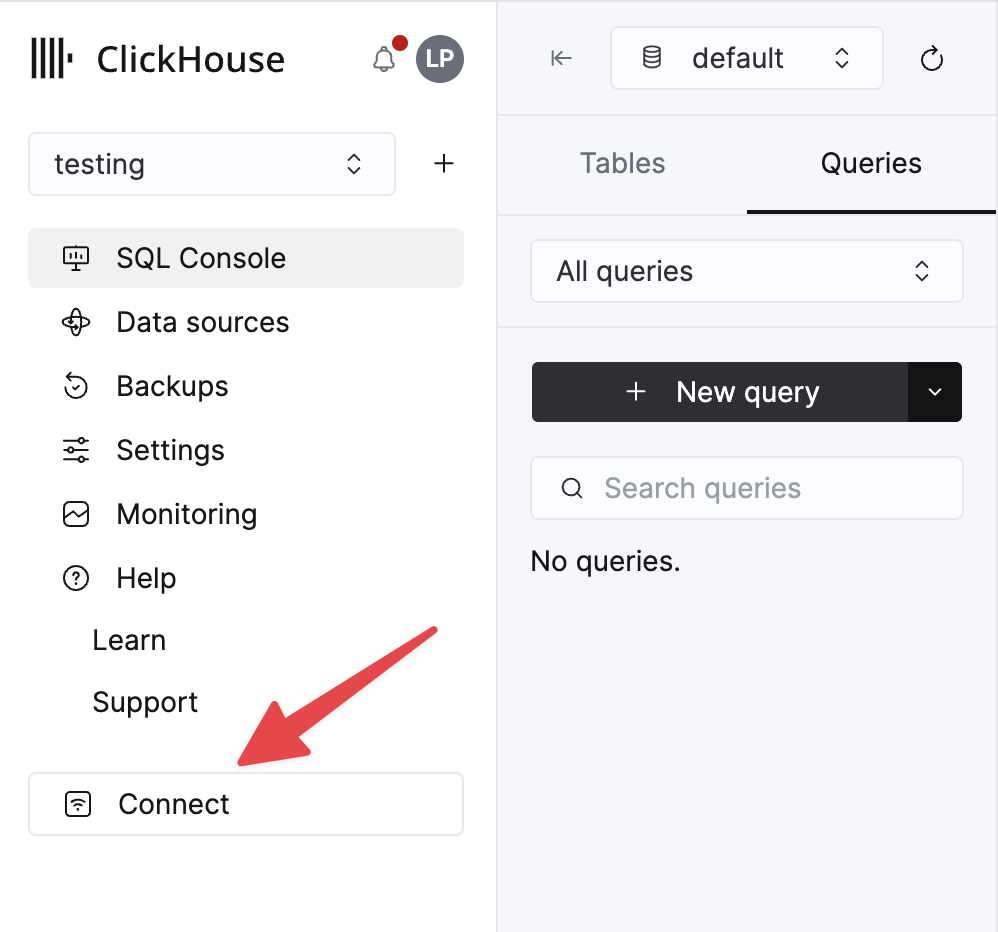
The details for your ClickHouse Cloud service are available in the ClickHouse Cloud console. Select a service and click Connect:
Choose HTTPS. Connection details are displayed in an example curl command.
If you are using self-managed ClickHouse, the connection details are set by your ClickHouse administrator.
2. Создайте источник данных ClickHouse
Перейдите в Admin -> Connections и нажмите кнопку «Add Connection» в правом верхнем углу.
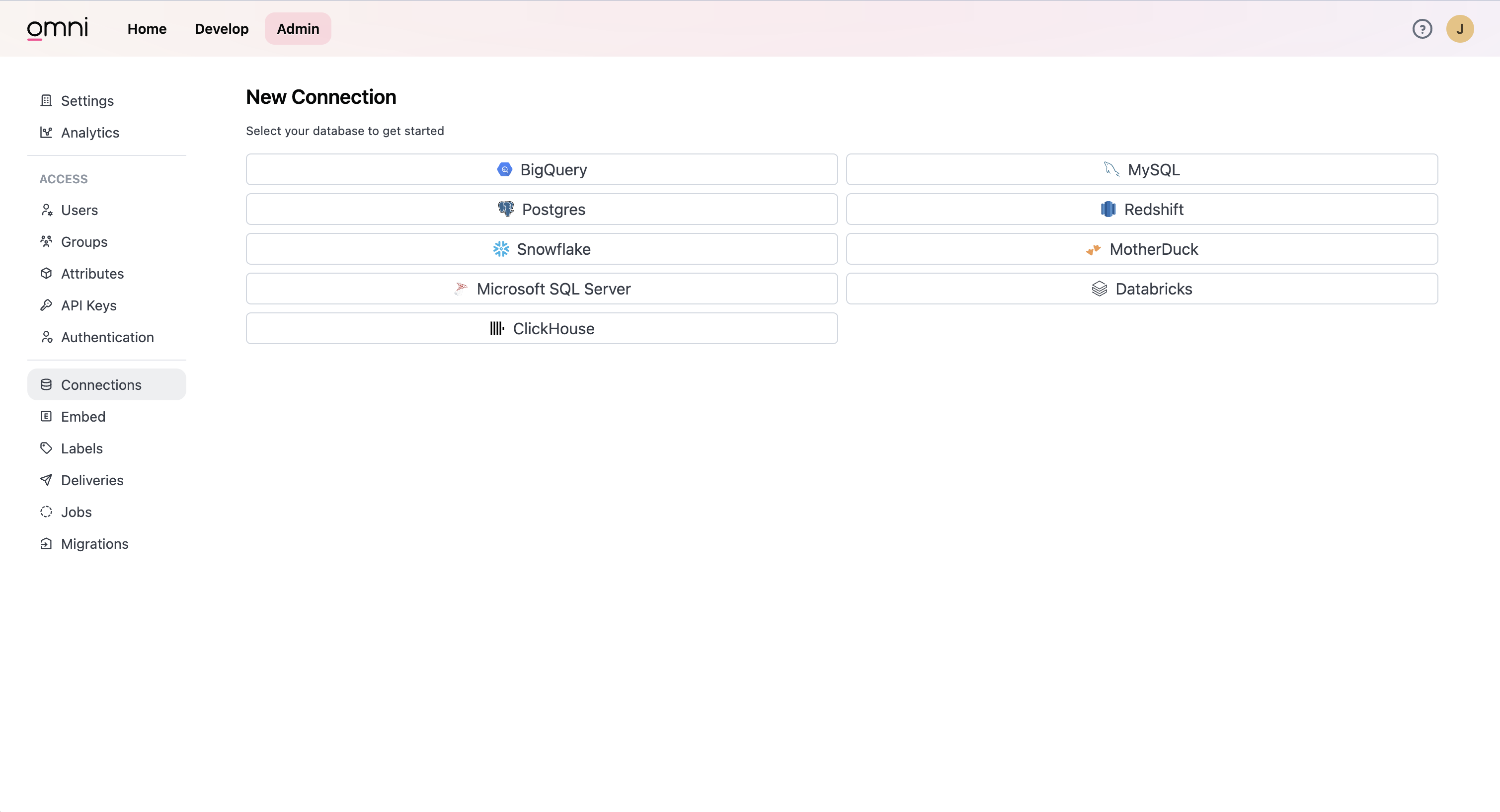
Выберите ClickHouse. Введите свои учетные данные в форму.
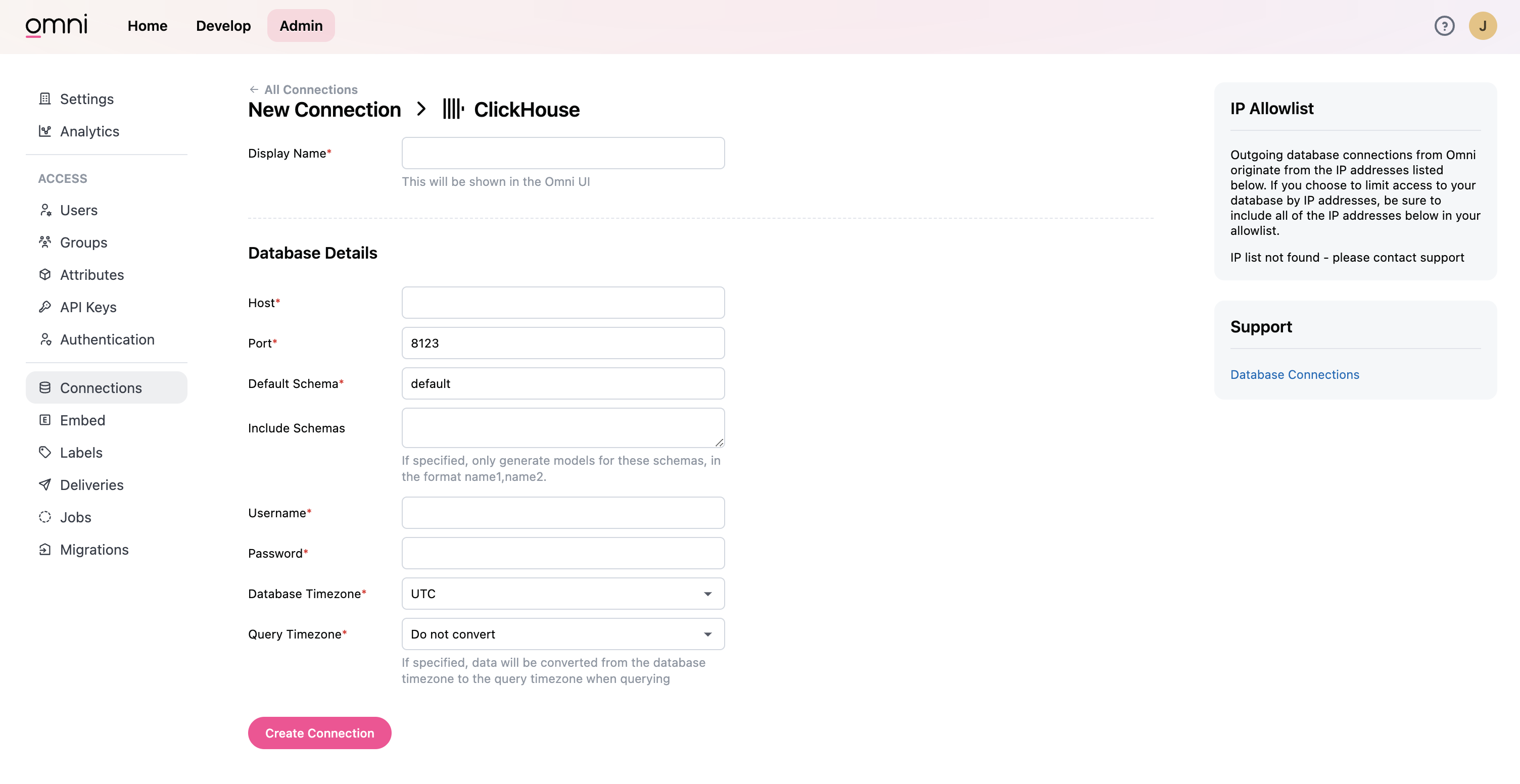
Теперь вы можете выполнять запросы к данным ClickHouse в Omni и визуализировать их.
